
Desk Setup Tips for Enhanced Focus and Comfort
Create a workspace that boosts productivity and well-being with these practical desk setup tips focused on comfort and focus.
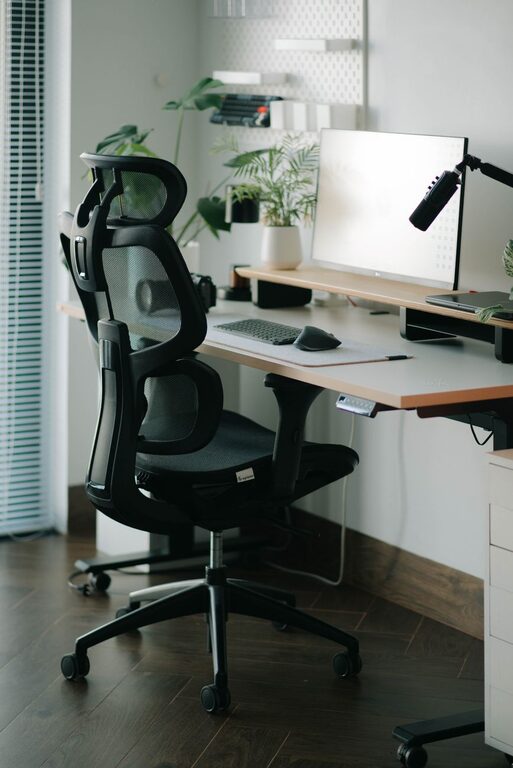
Creating a desk setup that supports both comfort and focus can make a huge difference in your daily productivity and overall well-being. Whether you work from home or in an office, a thoughtfully arranged workspace helps reduce distractions, minimize physical strain, and keep you energized throughout the day. In this post, we’ll explore practical tips to design a desk setup tailored to your needs.
Why a Comfortable and Focused Desk Setup Matters
Your desk isn’t just a place to put your computer—it’s where you spend hours each day working, creating, and problem-solving. An uncomfortable or cluttered workspace can lead to distractions, fatigue, and even health issues such as back or wrist pain. By prioritizing both comfort and focus in your desk arrangement, you set yourself up for success and a healthier work routine.
Essential Elements of a Focused Desk Setup
1. Choose the Right Desk and Chair
– Desk height: Your desk should allow your elbows to rest comfortably at a 90-degree angle when typing.
– Chair support: Opt for an adjustable chair with good lumbar support to maintain proper posture.
– Foot position: Feet should rest flat on the floor or on a footrest to avoid pressure under the thighs.
2. Position Your Monitor Correctly
– Place the monitor about an arm’s length away.
– The top of the screen should be at or slightly below eye level to reduce neck strain.
– Avoid glare by positioning the screen perpendicular to windows or using adjustable blinds.
3. Keep Your Workspace Organized
– Declutter regularly to keep only essential items on your desk.
– Use desk organizers for pens, documents, and other tools.
– Consider vertical storage or shelves to free up desk surface area.
Comfort Tips to Improve Your Desk Setup
1. Use Ergonomic Accessories
– Keyboard and mouse: Choose ergonomic designs to reduce wrist strain.
– Wrist rests: Soft pads can provide extra comfort during long typing sessions.
– Monitor stands or arms: Adjustable stands help customize monitor height.
2. Incorporate Personal Comfort Items
– A small desk fan or heater can help regulate your temperature.
– Soft lighting options reduce eye strain compared to harsh overhead lights.
– Add a cushion or lumbar roll for extra chair support.
Tips for Enhancing Focus at Your Desk
1. Create a Distraction-Free Zone
– Turn off non-essential notifications on electronic devices.
– Use noise-canceling headphones or soft background music if helpful.
– Keep personal phones and unrelated gadgets out of immediate reach.
2. Use the Right Lighting
– Natural light is ideal, so position your desk near a window if possible.
– When natural light isn’t sufficient, use adjustable desk lamps with warm light.
– Avoid screen glare by adjusting light angles and brightness.
3. Organize Your Tasks Visually
– Use a whiteboard, calendar, or task list nearby to keep goals visible.
– Break large projects into smaller, manageable tasks.
– Celebrate small wins to keep motivation high.
Additional Tips for a Healthy Desk Setup
Take Regular Breaks
– Follow the 20-20-20 rule: every 20 minutes, look at something 20 feet away for 20 seconds.
– Stand, stretch, or walk every hour to improve circulation and reduce stiffness.
Maintain Good Posture
– Sit back fully in your chair and keep your back straight.
– Avoid crossing your legs to maintain good circulation.
– Adjust your setup if you notice discomfort throughout the day.
Final Thoughts
A desk setup that balances comfort and focus isn’t just about aesthetics—it’s about creating a space that supports your work style and well-being. Small changes like adjusting your chair, organizing your tools, and improving lighting can have a big impact on your productivity and health. Experiment with these tips to find what works best for you, and enjoy a more enjoyable and efficient workday.