
How to Clean Your Phone and Keyboard Safely Without Damage
Learn easy and safe methods to clean your phone and keyboard, keeping them germ-free and in top condition without causing any harm.
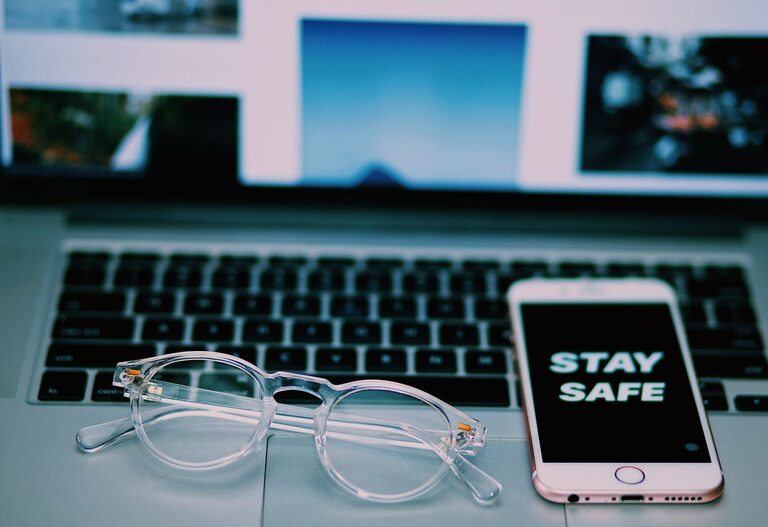
Keeping your phone and keyboard clean is essential for both hygiene and the longevity of your devices. These everyday tools can accumulate dirt, dust, oils, and germs, which not only impacts their appearance but can also affect their performance. However, using the wrong cleaning methods or products can damage sensitive electronics. This guide will walk you through safe and effective ways to clean your phone and keyboard.
Why Cleaning Your Phone and Keyboard Matters
Phones and keyboards are handled frequently, often with little thought about cleanliness. Our hands can transfer oils, food residue, dust, and microbes onto surfaces, which then build up over time. Regular cleaning:
– Reduces the risk of bacteria and viruses lingering on surfaces
– Helps maintain smooth keyboard key movement
– Keeps your phone screen clear and responsive
– Prolongs the life of your electronic devices
General Tips Before You Start Cleaning
– Always power off your device. This reduces the risk of short circuits or accidental inputs.
– Unplug any cables and remove accessories. Take off phone cases or keyboard covers if possible.
– Avoid harsh chemicals. Stay away from bleach, ammonia, or abrasive cleaners which can damage screens and key finishes.
– Use soft materials. Microfiber cloths are best for wiping screens and surfaces without scratching.
– Apply liquids carefully. Never spray cleaner directly onto devices; instead, dampen a cloth slightly.
—
How to Clean Your Phone Safely
What You’ll Need
– Microfiber cloth
– Distilled water
– Isopropyl alcohol (70% concentration or less)
– Cotton swabs or soft-bristle brush
– Small spray bottle (optional)
Step-by-Step Cleaning
- **Turn off and unplug your phone.** Remove any case or cover.
- **Prepare the cleaning solution.** Mix equal parts distilled water and isopropyl alcohol in a spray bottle or use pre-moistened alcohol wipes designed for electronics.
- **Lightly dampen microfiber cloth.** Do not soak. Wring out any excess liquid.
- **Wipe the phone surface gently.** Focus on screens, back, and sides. Avoid ports and openings.
- **Use cotton swabs for crevices.** Lightly dampen them and clean around buttons, speaker grills, and charging ports.
- **Dry thoroughly.** Use a dry portion of the microfiber cloth to remove any moisture.
- **Let your phone air dry for a few minutes** before powering it back on or replacing the case.
Additional Tips
– Avoid using paper towels or abrasive fabrics that can scratch the screen.
– If your phone has a special coating (like oleophobic), avoid frequent alcohol use to preserve it.
– Clean your phone case separately using soap and water or disinfectant wipes.
—
How to Clean Your Keyboard Safely
What You’ll Need
– Compressed air can
– Microfiber cloth
– Isopropyl alcohol (70% concentration or less)
– Cotton swabs
– Soft brush (like a paintbrush or makeup brush)
– Mild dish soap (optional)
Step-by-Step Cleaning
- **Turn off and disconnect your keyboard** from the computer or laptop.
- **Remove loose debris.** Turn the keyboard upside down and gently shake it to dislodge crumbs and dust.
- **Use compressed air.** Blow air between the keys to remove particles trapped in tight spaces.
- **Brush away dirt.** Use a soft brush to clean around keys and hard-to-reach spots.
- **Wipe with a damp cloth.** Dampen the microfiber cloth with isopropyl alcohol or a mix of water and a drop of mild soap. Wipe the key surfaces and keyboard frame.
- **Use cotton swabs for stubborn spots.** Lightly moisten them and clean around keys.
- **Dry completely.** Ensure no moisture remains on or between the keys before reconnecting.
Optional: Deep Cleaning for Mechanical Keyboards
If your keyboard allows key removal, you can remove keys carefully using a keycap puller and clean underneath with soapy water or alcohol wipes. Make sure all keycaps are fully dry before reassembling.
—
Important Do’s and Don’ts
| Do’s | Don’ts |
|———————————–|—————————————|
| Power off devices before cleaning | Spray liquids directly on devices |
| Use microfiber cloths | Use bleach or harsh chemicals |
| Use isopropyl alcohol cautiously | Submerge devices in water or cleaners |
| Clean regularly | Neglect sharp objects for scrubbing |
| Remove cases or covers beforehand | Use abrasive materials like paper towels |
—
Maintaining Clean Devices
Cleaning once a week or more often if you frequently eat near your devices can keep them in good shape. Additionally:
– Wash your hands regularly to reduce transfer of dirt and germs.
– Avoid using your phone or keyboard with greasy or dirty hands.
– Store your devices in clean, dust-free places when not in use.
—
Conclusion
Safely cleaning your phone and keyboard doesn’t require expensive products or complicated methods. With a few household items and careful attention, you can keep your devices looking great and working properly. Regular cleaning promotes better hygiene and device health, making your tech last longer and feel fresh every day.
—
By following these simple steps and tips, you can confidently clean your phone and keyboard without worrying about damage. Happy cleaning!